Jim Rossman: Getting your phone’s dictionary to learn your favorite words
Published in Science & Technology News
I was helping a friend with a few small tech issues last week and he came up with one that I had to look up before I could help.
It was a nuisance, more than a problem: His iPhone was autocorrecting certain words, but from the right spelling to a wrong spelling.
There is a neighborhood in our area of town called Lakewood. Every time my friend included the word Lakewood in a text or post on social media -- either typed or dictated – it would autocorrect to Lakeqood.
Your smart phone has a dictionary of the words you use.
IPhones remember your frequently typed words and you’ll see them in the predictive text portion of the keyboard.
Android phones have dictionaries at the keyboard level of the operating system.
You can usually see the dictionary words on an Android keyboard, so you can add or edit them directly.
On the iPhone, you really don’t have access to the words the phone picks up from your typing habits.
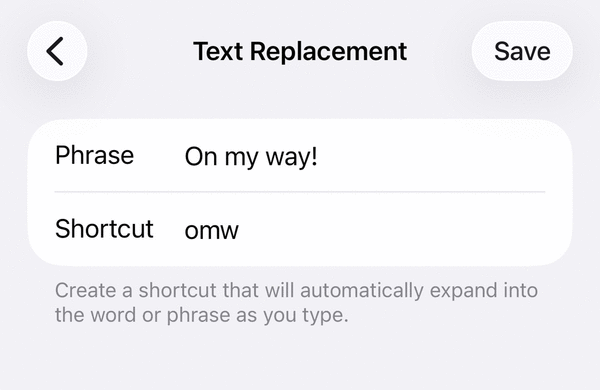
The way to change dictionary words on the iPhone is to add a text replacement entry in the settings.
Go to Settings, then General, then Keyboard and tap Text Replacement.
Tap the plus sign (+) in the top right corner.
In the phrase field, type the correct spelling of the word.
In the Shortcut field, type the incorrect spelling the phone keeps using.
Tap Save.
If you really need to go nuclear, you can reset your iPhone’s keyboard dictionary.
Go to Settings, then General, then Transfer or Reset iPhone, then Reset, then Reset Keyboard Dictionary.
This will delete the learned words, custom suggestions and save keyboard shortcuts and abbreviations. It does not delete any other phone data.
Finally, you can use iCloud to keep your personal dictionary up to date on all your other Apple devices. To do this, go to Settings, pick your name from the top of the left column, choose iCloud and then turn on iCloud Drive.
©2026 Tribune Content Agency, LLC.






Comments