Jim Rossman: We all have to remember too many passwords
Published in Science & Technology News
I had a fun exchange with a reader a few weeks back when I asked for topics people wanted to see in this space – especially for seniors.
“My vocabulary doesn’t include technological terms. Never learned them in school so communicating with tech support is tough since I simply don’t understand the language nor can I visualize anything 'technical.' Remembering a gazillion passwords is my nemesis, so yes, I carry a folder full of passwords when going for tech help. Such an annoyance. Frankly I’m not comfortable saving them online, either. I’m struggling but determined. I see alcohol in my future.”
My answer: “I feel your pain. I keep my passwords in a note in the Notes app on my iPhone. I also have a password to protect (unlock) that note.”
She replied: “I’m chuckling at your response. How can I EASILY get all my darn passwords into 'Notes.' Have no idea what or how 'Notes' is/works. When will you publish a book for people like me to use as a resource?!?!”
Notes is an app on my iPhone. It is included in the apps on every iPhone.
Each note is just a plain text document, but individual notes can be password protected.
I created one note called Passwords. That note is full of entries like:
jrossmantechadviser@gmail.com
Password: emailpassword
Water bill account
Login: jrossman6789
Password: waterpassword
And so on. There’s no trick to it. Just a digital version of a memo pad.
This begs a few questions, like how is this safe and what happens if you lose your phone?
First, you need to set a strong passcode for your iPhone. Use a six-digit passcode (or longer) and turn on touch ID or Face ID. If you lose your phone, we don’t want the thief to be able to get in.
In the Notes app, once you’ve created a note, touch the three dots on the upper right corner and choose the Lock icon.
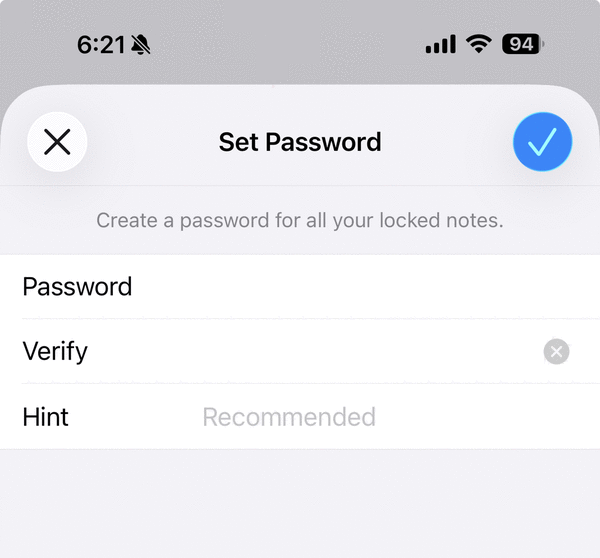
You can choose to use your phone’s passcode to unlock the note, or you can set up a separate password just for notes.
With either option, you can also choose to open locked notes with Touch ID or Face ID.
A caution: If you choose to use a separate Notes password, and you forget that password, Apple will not be able to reset it for you. You’d be locked out of that note.
Also, you can sync your notes with iCloud, which saves a copy up to the cloud that is accessible on any Apple device or even through iCloud.com from a web browser.
Turning on iCloud for Notes is key, so you don’t lose your Notes if you lose your phone.
Android users have options for the Notes app they use, and they’ll need to look up the instructions to see what locking options there are for their specific app.
I also recommend keeping a backup paper copy of your important passwords in a safe place in your home.
What are your important passwords? Your email password is important, as is your password for the account that you use to log into your phone (your Apple ID or your Google ID).
I’ve mentioned before that I have a text document I have saved and printed that outlines all my online accounts and how to access each one if I get hit by a bus tomorrow.
©2026 Tribune Content Agency, LLC.






Comments